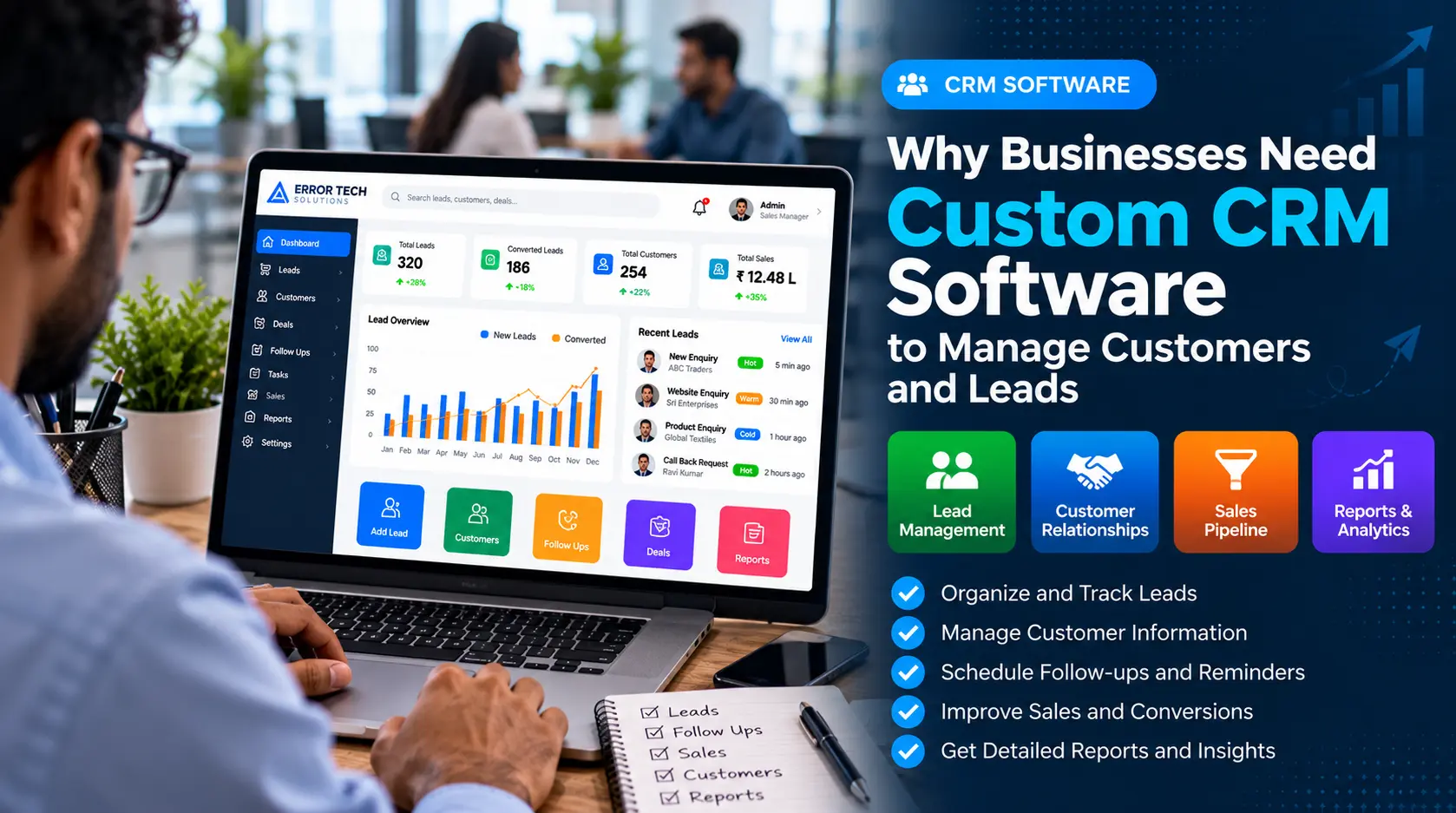
Businesses often receive enquiries through websites, phone calls, email, social media, referrals and in-person conversations. When customer details are stored in separate spreadsheets, inboxes or notebooks, it can become difficult to see the full history of a relationship or know which lead needs attention next.
Customer relationship management (CRM) software brings customer records, enquiries, communication history and sales activities into a central place. Custom CRM software goes a step further by adapting fields, workflows, permissions and reports to the way a particular business operates.
What Is Custom CRM Software?
CRM stands for Customer Relationship Management. A CRM system helps businesses maintain customer information and manage the activities involved in turning enquiries into opportunities and ongoing customer relationships.
A custom CRM is developed or configured around a business's specific processes. For example, a real estate company may need property enquiries and site-visit follow-ups, while a service company may need enquiry assignment, quotations, reminders and service history.
Why Businesses Need a CRM System
As the number of customers and enquiries grows, manual tracking can make it harder to follow up consistently. A shared CRM gives authorised team members a common view of customer details and the status of each lead.
The right setup depends on the business. A small sales team may need a simple lead pipeline, while a larger organisation may need multiple departments, approval steps, integrations and management reports.
Key Benefits of Custom CRM Software
1. Keep Customer Information in One Place
Store contact details, enquiry sources, notes, past interactions and relevant documents in organised customer records. This reduces the need to search across disconnected files and helps team members understand previous conversations before contacting a customer.
2. Organise and Prioritise Leads
A CRM can record new enquiries and classify them by source, product, location, interest level or sales stage. Teams can use these details to decide which enquiries need a prompt response and which require further nurturing.
3. Improve Follow-Up Management
Follow-up tasks and reminders help sales teams keep track of promised calls, meetings, demonstrations and quotations. The CRM should make the next action visible so leads are less likely to be forgotten during busy periods.
4. Track the Sales Pipeline
Define stages such as New Enquiry, Contacted, Qualified, Meeting Scheduled, Quotation Sent, Negotiation and Won or Lost. A pipeline view helps managers understand where opportunities stand and identify records that may need attention.
5. Assign Leads to the Right Team Members
Custom assignment rules can route enquiries by department, territory, product or availability. Clear ownership helps teams understand who is responsible for the next step and reduces duplicate outreach.
6. Automate Repetitive Tasks
Depending on the requirements, a CRM may automate acknowledgements, reminders, task creation, status updates and internal notifications. Automation should support real workflows and include appropriate checks so customers receive relevant, timely communication.
7. Generate Useful Reports
Reports can show enquiry sources, lead status, follow-up completion, sales activity and conversion across stages. These reports help managers review the process and make decisions based on the information available, rather than relying only on informal updates.
8. Protect Customer Data With Role-Based Access
A well-planned CRM can provide role-based permissions so users access the records and actions appropriate to their responsibilities. Businesses should also consider secure authentication, backups, audit trails and clear data-retention practices.
When Should You Choose a Custom CRM Instead of a Ready-Made Tool?
An off-the-shelf CRM may be a good choice when its standard features fit your process and you want to start quickly. Custom development may be worth evaluating when your workflow requires specialised fields, approval paths, industry-specific modules, local integrations or reports that are difficult to support in a standard product.
- Your enquiry or sales process has unique stages and rules.
- You need CRM workflows connected to an existing ERP or billing system.
- Different teams require specific dashboards and permissions.
- You need industry-specific records, such as properties or service cases.
- You want to phase in modules as your business grows.
Custom software also requires planning for development cost, testing, security, maintenance and future enhancements. Compare these ongoing responsibilities with the subscription and configuration costs of a ready-made CRM before deciding.
Essential Features to Include in a CRM
- Customer and company profiles
- Lead capture and source tracking
- Lead assignment and ownership
- Follow-up tasks, reminders and activity history
- Sales pipeline and opportunity tracking
- Notes, attachments and communication records
- Search, filters and duplicate checks
- Role-based access and audit history
- Reports and dashboard summaries
- Mobile-friendly access for staff on the move
- Integrations with relevant business tools
How to Plan a Custom CRM Project
- Map the current enquiry-to-sale process.
- Identify the information each team needs to record.
- Define lead stages, ownership rules and follow-up expectations.
- Choose the reports and dashboards managers actually use.
- List required integrations and data migration needs.
- Set user roles, permissions and security requirements.
- Build and test the most important workflows first.
- Train users and collect feedback before expanding the system.
Common CRM Implementation Mistakes to Avoid
- Adding too many fields that users do not need
- Failing to define who owns each lead
- Creating reminders without a clear follow-up process
- Importing duplicate or outdated customer records
- Giving users more access than their roles require
- Building reports without agreeing on what each metric means
- Skipping staff training and regular workflow reviews
Custom CRM Software for Businesses in Coimbatore
Businesses across retail, real estate, manufacturing, education, healthcare and professional services may manage very different customer journeys. A CRM should reflect those differences while keeping customer records, responsibilities and follow-up activities organised.
Error Tech Solutions develops tailored business software and can discuss CRM requirements alongside our custom software development services and relevant business automation solutions. Start with the processes that matter most, then expand the system as requirements become clearer.
Frequently Asked Questions
What is the main purpose of CRM software?
CRM software helps businesses organise customer information, track leads, record interactions, manage follow-ups and monitor sales opportunities.
Can CRM software be customised for my industry?
Yes. A custom CRM can be designed around industry-specific records and workflows, such as property enquiries, service requests, wholesale leads or business-to-business sales processes.
Can a CRM integrate with existing business software?
It may be possible to connect a CRM with existing applications through APIs or other supported integration methods. Feasibility depends on the systems involved, their access options and the required data flow.
How long does it take to develop a custom CRM?
The timeline depends on the number of modules, user roles, integrations, data migration needs and testing requirements. A defined first phase can help establish priorities before adding advanced functionality.
Looking for Custom CRM Software?
Error Tech Solutions develops customised business software based on operational requirements, including CRM workflows, lead management, dashboards, reporting and business automation.
Explore our Custom Software Development services to discuss your CRM requirements.
Planning to Build a Custom CRM?
Tell us how you manage enquiries, customer records and follow-ups today. Our team can discuss a CRM workflow suited to your business requirements.
Contact Error Tech Solutions