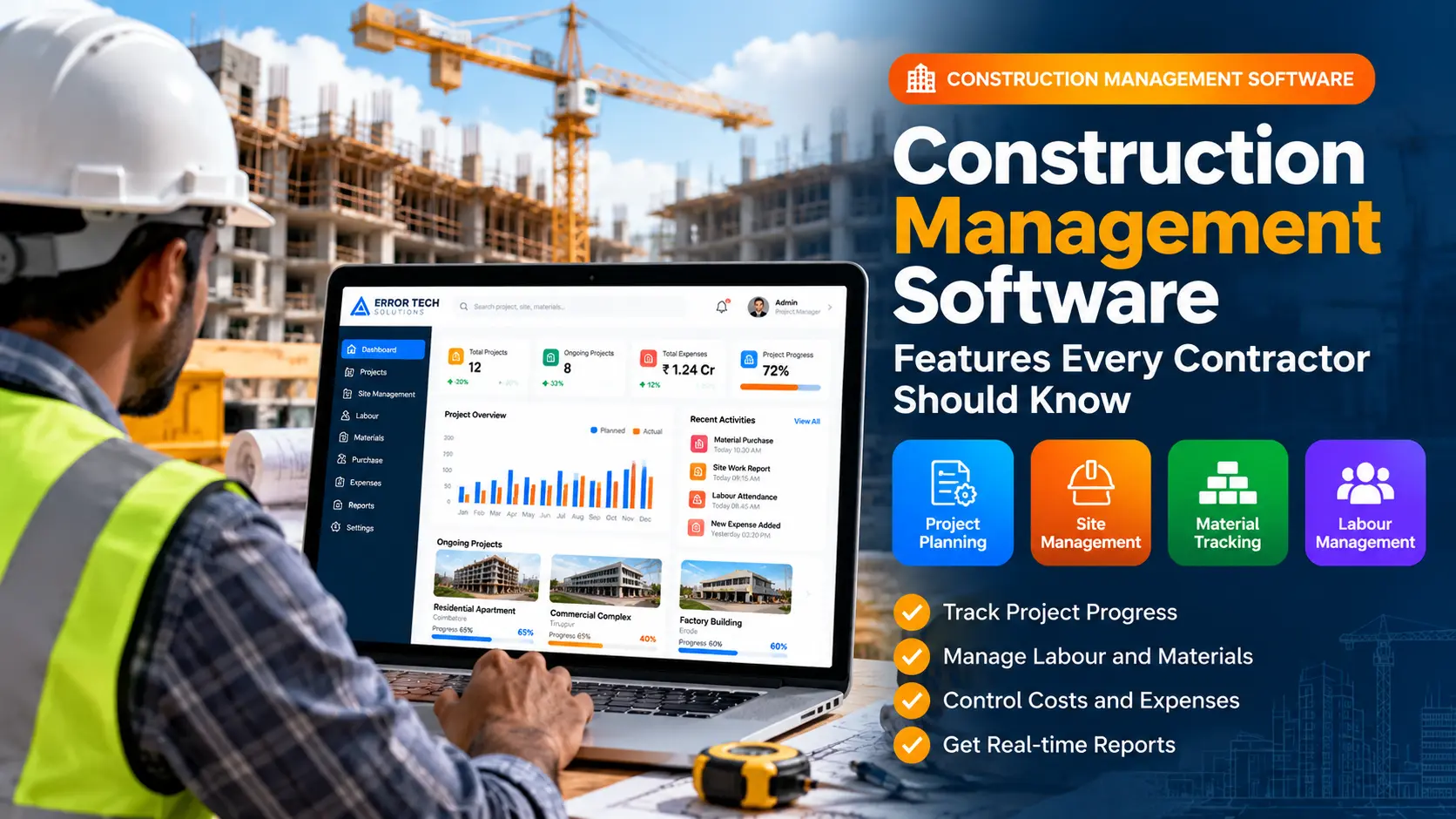
Construction projects involve many connected activities, including planning, site supervision, labour coordination, purchasing materials, monitoring expenses and reporting progress. When these details are recorded in separate spreadsheets or paper registers, project teams can find it difficult to keep information current.
Construction management software brings important project information into a centralized system. Contractors, project managers and site teams can use it to organize day-to-day work, follow progress and review costs using a shared view of project activity.
What Is Construction Management Software?
Construction management software is a digital tool used to plan and track work across construction projects. Depending on the product and configuration, it may include project schedules, site reports, material purchases, labour records, equipment, expenses, documents and management dashboards.
Why Contractors Use Construction Management Software
A construction project often involves office staff, site engineers, supervisors, contractors, suppliers and workers. A shared system can help these people access relevant updates without relying only on scattered messages or manual records.
- Keep project information and daily updates organized.
- Track planned work against actual progress.
- Monitor material requests, purchases and stock movements.
- Record labour, equipment use and site activities.
- Review project expenses and prepare reports.
1. Project Planning and Schedule Tracking
Project planning features help teams define activities, assign responsibilities, set target dates and follow milestones. A clear schedule gives project managers a reference for reviewing completed work and identifying tasks that need attention.
Look for task lists, milestone tracking, project status, planned-versus-actual progress and the ability to manage multiple projects when these match your workflow.
2. Site Management and Daily Work Reports
Site teams need a practical way to record daily activities, site conditions, completed work, delays and issues. Digital site reports can help office teams review updates and maintain a record of project activity.
Depending on the system, site reports may include dates, project references, notes, photographs, responsible staff and approval status.
3. Labour and Workforce Management
Labour management features can help contractors maintain worker or subcontractor records, track attendance, allocate teams to projects and review labour-related costs. Choose a workflow that suits how your company engages and supervises workers.
4. Material Management and Purchase Tracking
Materials are a major part of construction operations. Software can help record material requirements, purchase requests, supplier details, goods received, site issues and stock balances. Clear records make it easier to review material availability and understand where materials have been used.
- Material request and approval workflows
- Purchase orders and supplier records
- Goods receipt and stock updates
- Material issue and usage tracking
- Low-stock alerts where supported
5. Equipment and Resource Tracking
Contractors may need to coordinate machinery, tools, vehicles and other shared resources across sites. Resource tracking can help record assignments, availability, usage and maintenance information, depending on the system's capabilities.
6. Project Expenses and Cost Control
Expense tracking helps teams record costs associated with labour, materials, equipment, transport and other project activities. Budget comparisons and cost summaries can give managers a clearer view of spending, provided that entries are recorded consistently and reviewed regularly.
Before choosing software, confirm how it handles approvals, expense categories, supporting documents, project-wise totals and exports for accounting workflows.
7. Progress Dashboards and Management Reports
Dashboards bring selected project information into a summary view. Useful reports may include ongoing projects, milestone status, site updates, material balances, expenses and outstanding tasks. Filters by project, date or site can make reports more useful for different roles.
8. Document Storage and Team Communication
Construction teams often work with drawings, quotations, purchase records, approvals and site documents. A structured document area and clear communication history can help staff find the latest information. Confirm access controls and version handling if documents are business-critical.
9. Mobile Access for Site Teams
Mobile-friendly access can be useful for engineers and supervisors who spend much of their day on site. Depending on the software, mobile workflows may support daily reports, attendance, photos, material requests and progress updates. Check how the application behaves with limited connectivity if sites have unreliable internet.
10. User Roles and Approval Workflows
Different team members need different levels of access. Role-based permissions can help restrict sensitive information and clarify who can create, review or approve records. Common roles may include administrators, project managers, site engineers, store staff and accounts teams.
How to Choose the Right Construction Management Software
Start by documenting your current workflow and the problems you want to solve. Then compare software based on practical requirements rather than selecting a tool only because it has the largest feature list.
- List your project, site, labour, material and expense workflows.
- Identify which teams will use the system and from which devices.
- Check reporting, approvals, permissions and export options.
- Ask for a demonstration using scenarios similar to your daily work.
- Review implementation, training, support and future customization needs.
- Confirm pricing, user limits, data backup and access security.
Off-the-Shelf Software or Customized Construction ERP?
Ready-made software may suit contractors whose processes match the features it provides. A customized construction ERP may be worth considering when your business has specific approval stages, project costing rules, reporting formats or connections to existing systems. Customization should be based on documented requirements and a realistic budget, timeline and maintenance plan.
Construction Management Software for Businesses in Coimbatore
Contractors and construction businesses in Coimbatore may manage residential, commercial, industrial or infrastructure projects with different site and reporting needs. A well-planned system should reflect the company's actual workflow, from project setup and site updates to materials, expenses and management reporting.
If you are evaluating a tailored business application, explore our software development services in Coimbatore to discuss custom workflows, dashboards and business management systems.
Frequently Asked Questions
What is the main purpose of construction management software?
Its purpose is to help teams plan and coordinate construction work, track project activity and organize information such as site reports, labour, materials and costs.
Can construction management software track materials and expenses?
Many systems offer material and expense features, but the exact functions vary. Confirm that the software supports your required purchase, stock, approval and project-cost workflows.
Is customized construction ERP suitable for small contractors?
It can be suitable when the workflow requirements justify the implementation and ongoing support costs. Smaller contractors should compare the benefits with simpler ready-made tools before deciding.
Can site engineers update information from mobile devices?
Some systems provide mobile or responsive access for site reports and updates. Check the available features and connectivity requirements before choosing one.
Looking for Custom Construction Management Software?
Error Tech Solutions develops customized software for business workflows. Discuss your requirements for project tracking, materials, site reporting, expenses and management dashboards with our team.
Explore our Software Development services or browse the Error Tech Solutions portfolio.
Planning a Construction ERP Project?
Tell us about your project workflow and the features your team needs. We can discuss a suitable software approach.
Contact Error Tech Solutions